¶ Staying Safe Online
Scamming is the act of deceiving people in order to steal something valuable, such as their accounts, personal information & credentials, money, or access to their devices in general. Scammers often rely on manipulation, using fear, excitement, urgency, or curiosity to pressure people into making quick decisions without them through. Manacube utilizes platforms such as Discord where we often encounter such cases. Understanding how these scams work is the best way to protect yourself and others. This article explains the most common scams you could encounter, how to recognize them, how to avoid them, and what to do if you believe your account or computer has been compromised.
¶ Have You Been Hacked?
If your Discord or Minecraft account has been compromised, contact a staff member as soon as possible using our usual support channels. Discord is generally the fastest way to reach us.
If your Discord account has been hacked, notify us immediately so we can temporarily remove your account from our Discord server. This helps prevent scammers from using your account to target other community members while you recover it.
If your Microsoft account has been compromised and you believe your in-game progress is at risk, please contact staff immediately. Be prepared to provide proof that you own the account, along with evidence that it has been compromised (e.g, a screenshot of an unauthorized login attempt or a Microsoft security notification). To protect your account and its in-game progress, staff may temporarily ban the account under [SC] Compromised Account until you have regained access. For your Microsoft Account in general, we recommend you to contact Microsoft.
Once you have recovered and secured your account, you may submit a ban appeal here along with evidence that Two-Factor Authentication (2FA) has been enabled. If you need help enabling 2FA, please refer to the official guides: Microsoft: Two-Step Verification | Discord: Multi-Factor Authentication
¶ Have You Downloaded Malware or Opened a Malicious Link?
If you downloaded or executed a malicious file, approved a fake verification, or visited a malicious website, acting quickly can significantly reduce the damage. If you can not do all the these steps, the most important steps are to disconnect from the internet, changing any email passwords.
We recommend the following:
- Disconnect the affected computer from the internet immediately
- Use a different, trusted device to change your email password first
- Change your Discord password and other important passwords
- Sign out of all active sessions
- Regenerate your backup codes
- Enable two-factor authentication wherever possible
- Run a full security scan
- Consider reinstalling your operating system if you are unsure whether the malware has been removed
- Notify the staff team so we can help prevent it from spreading
¶ How to Spot and Avoid Scams
Although scams constantly evolve, they almost always share common warning signs. If you notice one or more of the following, stop and think before interacting further.
Be cautious if someone:
- Creates urgency ("Your account will be deleted in 10 minutes!")
- Promises free money, Nitro, cryptocurrency, ranks, expensive items, or other rewards
- Asks you to download software, mods, texture packs, launchers, browser extensions, or any other application
- Asks you to run commands on your computer or disable your antivirus
- Sends login pages through direct messages or asks you to sign in on a website they provided
- Requests that you scan a QR code
- Asks you to authorize a Discord application you were not expecting
- Tells you to keep the conversation secret
- Claims to be Discord, Microsoft, Steam, or ManaCube staff through direct messages
- Asks you to verify your account through another Discord server
To help protect yourself, always remember:
- Never share your password with anyone
- Never scan a QR code unless you know exactly where it came from
- Only download software from trusted, official sources. Downloading mods, texture packs, launchers, or other applications from strangers is inherently risky
- Never log in to websites sent by strangers
- Be cautious of links, even if they appear to come from someone you know. Their account may have been compromised!
- If something sounds too good to be true, it almost certainly is
- Take your time. Scammers rely on panic and urgency to make you act without thinking
If you're ever unsure, don't rush. Ask a trusted friend or a member of the ManaCube staff before clicking a link, downloading a file, or entering your login details.
¶ Common Discord & Minecraft Scams
The following sections describe some of the most common scams currently affecting Discord and Minecraft communities. While the exact appearance of these scams changes over time, they all attempt to accomplish the same goal: convincing you to reveal sensitive information, authorize malicious applications, or execute malware on your own computer.
MrBeast Crypto Currency
The MrBeast Cryptocurrency Giveaway Scam is one of the most common scams seen on ManaCube’s Discord. Scammers often compromise legitimate Discord accounts and use them to post fake giveaway images across multiple channels, claiming that MrBeast is giving away money through a cryptocurrency investment platform. These posts are designed to create excitement and pressure users into visiting malicious websites or signing up for fraudulent services.
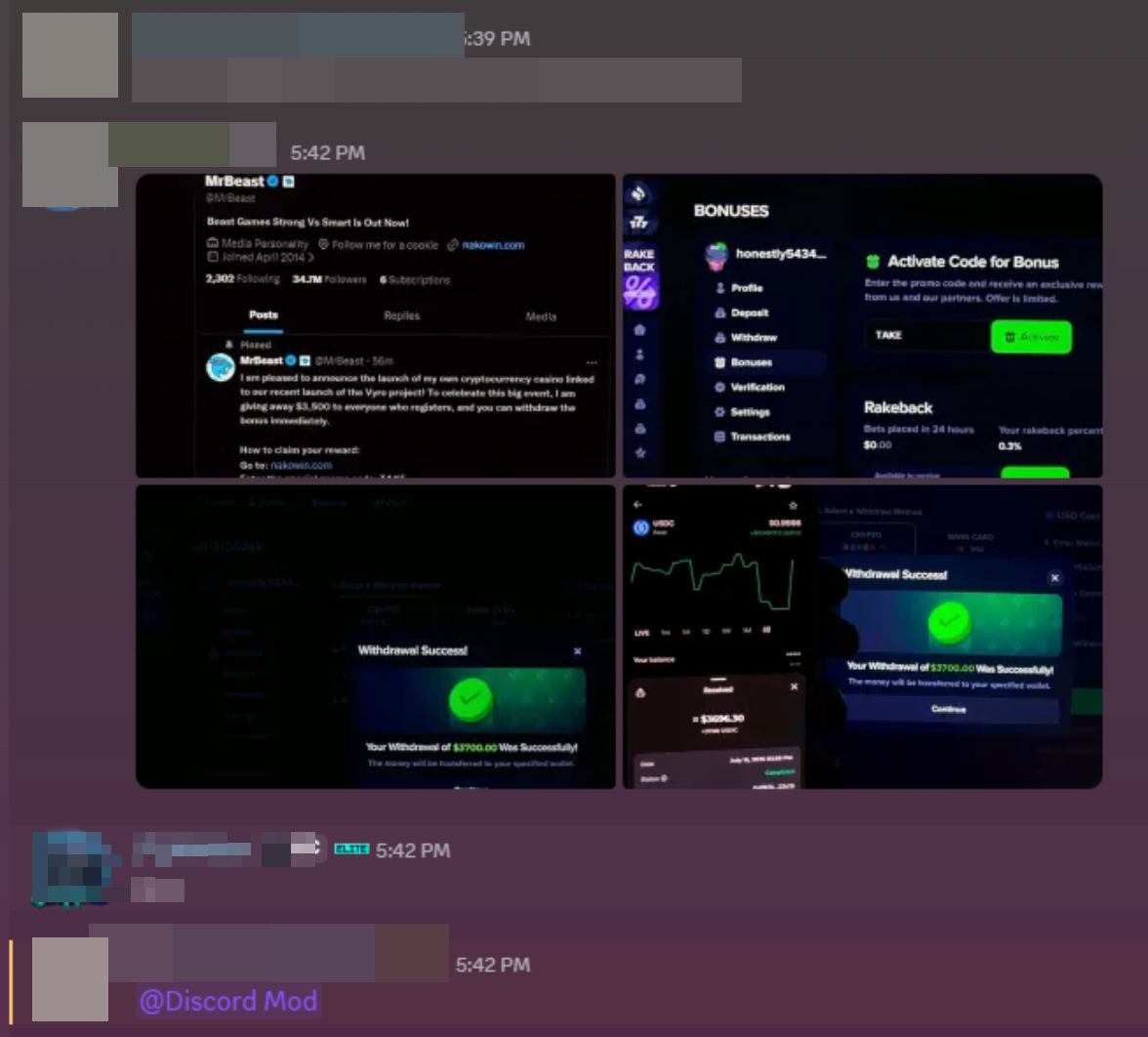
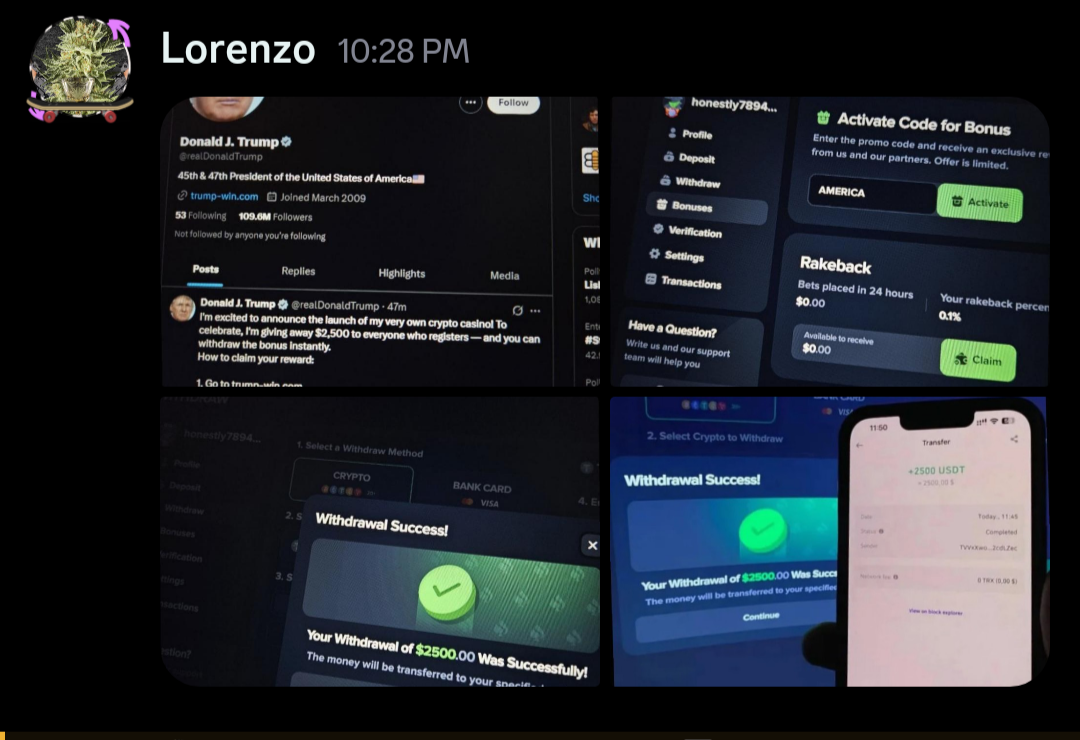
If you encounter one of these messages, do not click any links or interact with the post. Instead, immediately report it by pinging @Discord Mod so it can be removed as quickly as possible. For more information about how this scam works, see the video below: https://youtu.be/V0ajSB_Ke5I?si=Uf6c5mTJonUFbnCF
Discord Verification Scam
The Discord Verification Scam commonly begins when a compromised account sends an invitation to an adult themed or otherwise suspicious Discord server. After joining, users are asked to “verify” themselves through a bot, external website, QR code, or mobile fast-verification link. These verification methods are fraudulent and may allow scammers to access your Discord account, send messages to your contacts, and spread the scam further. Some servers may appear active or display convincing content to make them seem legitimate.
Never scan a QR code, approve an unexpected Discord login, or sign in through a website sent by another user. If you encounter one of these servers or messages, please report to staff. For more information, visit: https://youtu.be/3EqQV2_vQPI?si=gVJMVsqdIbiqRI2r | https://youtu.be/heZDKW1XcPY?si=UQy68SkPX1IRcTLs
Fake Nitro Giveaway
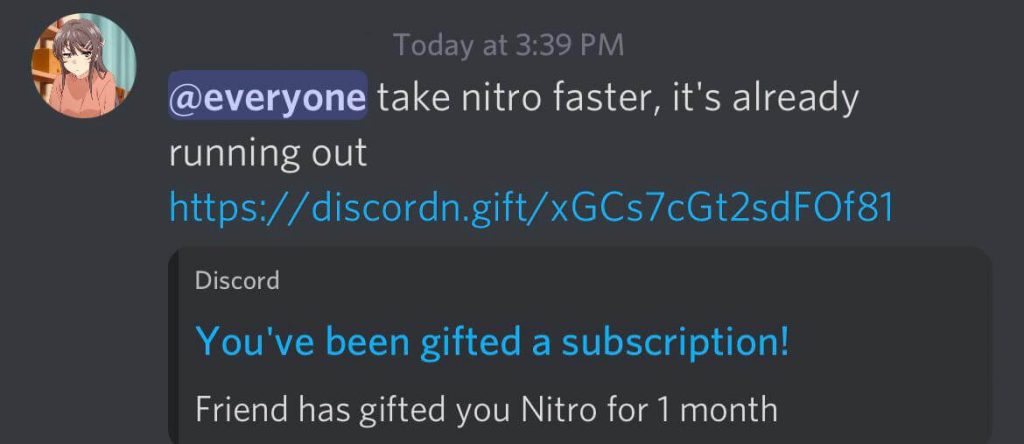
Discord Nitro is Discord's paid subscription service, which provides benefits such as larger file uploads, the usage of custom emoji's across different discord servers and much more. The Fake Discord Nitro Scam usually begins with a direct message claiming that you have received a free Nitro subscription. The message may come from a fake bot, a compromised account, or someone impersonating Discord. After clicking the offer, you may be asked to add a bot to a server, authorize an application, scan a QR code, or sign in through a fake website. These actions can allow scammers to access your account, force it to join other servers, or spread the scam further.
Discord will never require you to add an unknown bot, scan a QR code, or enter your password to claim a Nitro gift. Always verify that the gift uses Discord’s official domain and report suspicious messages if they are in the community server to Manacube staff.
Fake Manacube Free Rank
Occasionally, Staff receive reports of players claiming they are giving away free ranks or other rewards. While ManaCube does allow players to gift ranks and other store items, scammers often use this as a lure to target unsuspecting players.
Typically, the scam begins with someone messaging you in game (e.g. via /msg) or through another chat channel, asking you to add them on Discord. Once you join, you are invited to a Discord server that is often designed to look like a well-known Minecraft server. You are then asked to “verify” your account by entering your email address and password.
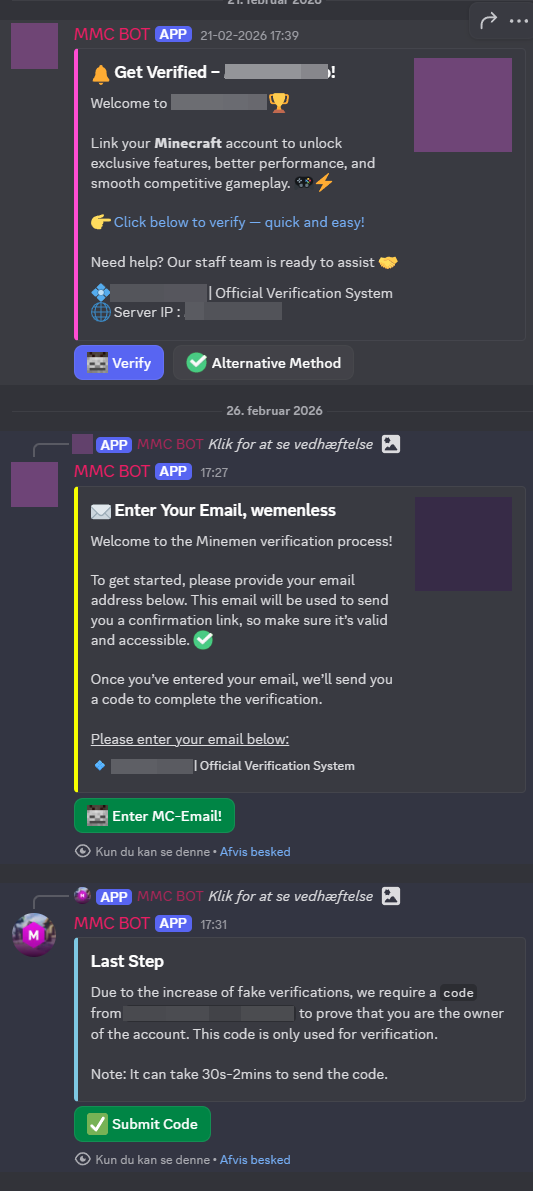
This verification process is completely fake and is designed solely to steal your account credentials. If you enter your login information, scammers may gain full access to your account.
If someone genuinely wishes to gift you a rank or other store item, there is no need to verify your account through Discord or any third party website. All legitimate gifts can be purchased and delivered directly through ManaCube using /cubitshop in game or via the official ManaCube Webstore.
Free Gift Card, Job Offer & “Test My Project” Scams
Scammers often contact users through DMs offering free gift cards, paid testing opportunities, or easy ways to earn money. Common examples include free Steam gift cards, offers to test a game, 2D project, application, or promises of payment for trying software. These scams usually direct you to a fake website that closely resembles a legitimate platform, such as Steam or Discord, and ask you to sign in to claim your reward. Others ask you to download a file, claiming it is a game or project that needs testing. In reality, these websites are designed to steal your login credentials, while downloaded files often contain malware that can compromise your computer and other online accounts.
If an offer sounds too good to be true, it probably is. Never log in through links sent by strangers, and never download files from people you do not know or trust.

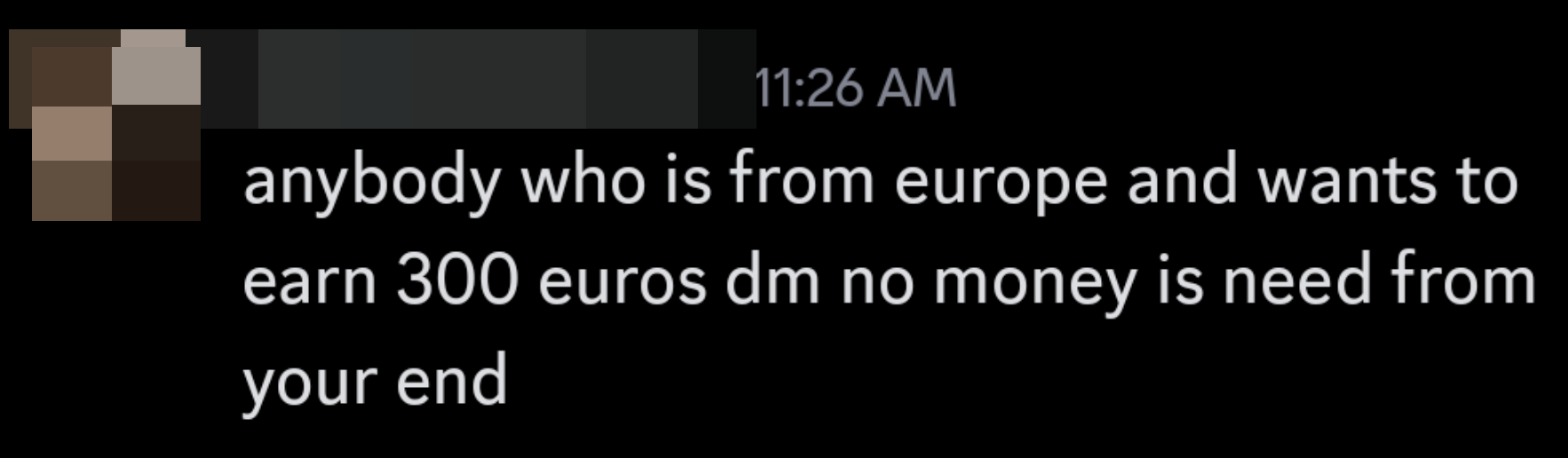
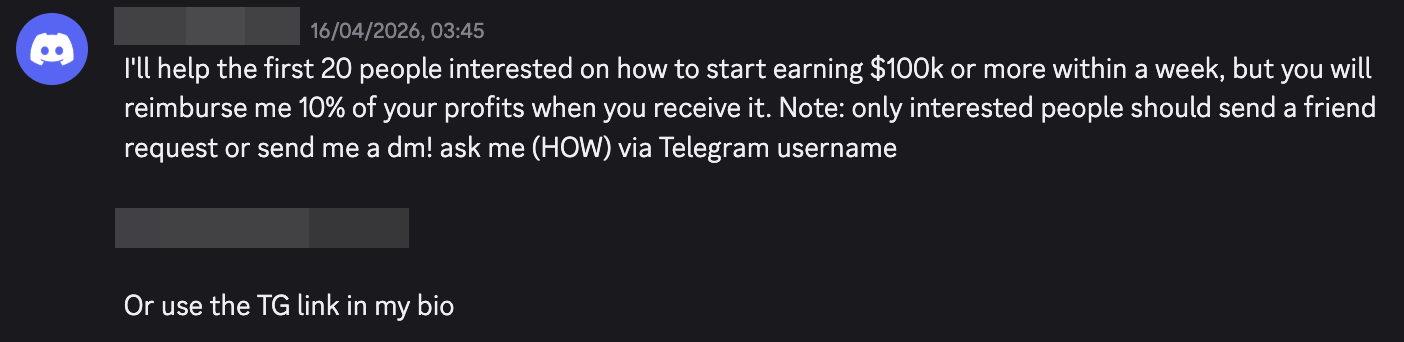
Another common scam involves someone asking you to test their game, application, or personal project. They may claim they need feedback, are working on an assignment, or even offer payment for testing their software.
In many cases, they will ask you to download an executable file (such as an .exe on Windows or another application installer). Executable files run directly on your computer and, if malicious, can install malware capable of stealing passwords, browser sessions, etc. Some malware can even continue collecting information after you change your passwords. Never download or run executable files sent by strangers or through unsolicited messages. For more information visit: https://youtu.be/YSEKcd4nZaw?si=hF5Xn5lVcGWm5dh3

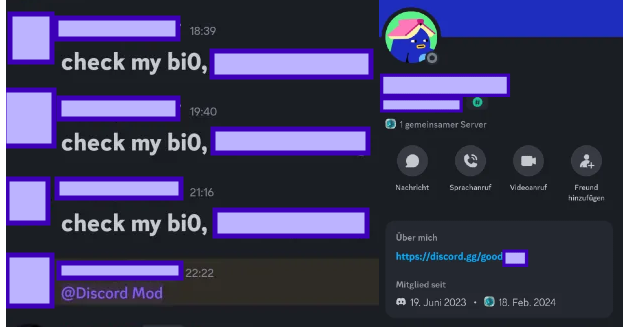
"Check my BIO"
Instead of sending a suspicious link directly, scammers will often hide it in their Discord profile bio or another profile field. They then send messages such as “Check my bio”, “Link in bio”, or similar prompts to encourage users to visit their profile. The link usually leads to a malicious Discord server where you are asked to complete a fake verification process. This often redirects you to a website that closely imitates Discord’s login page and asks you to enter your email address and password. Never enter your Discord credentials on websites reached through a user’s profile or messages, and always verify that you are using Discord’s official website before signing in.
Fake CAPTCHA Scams
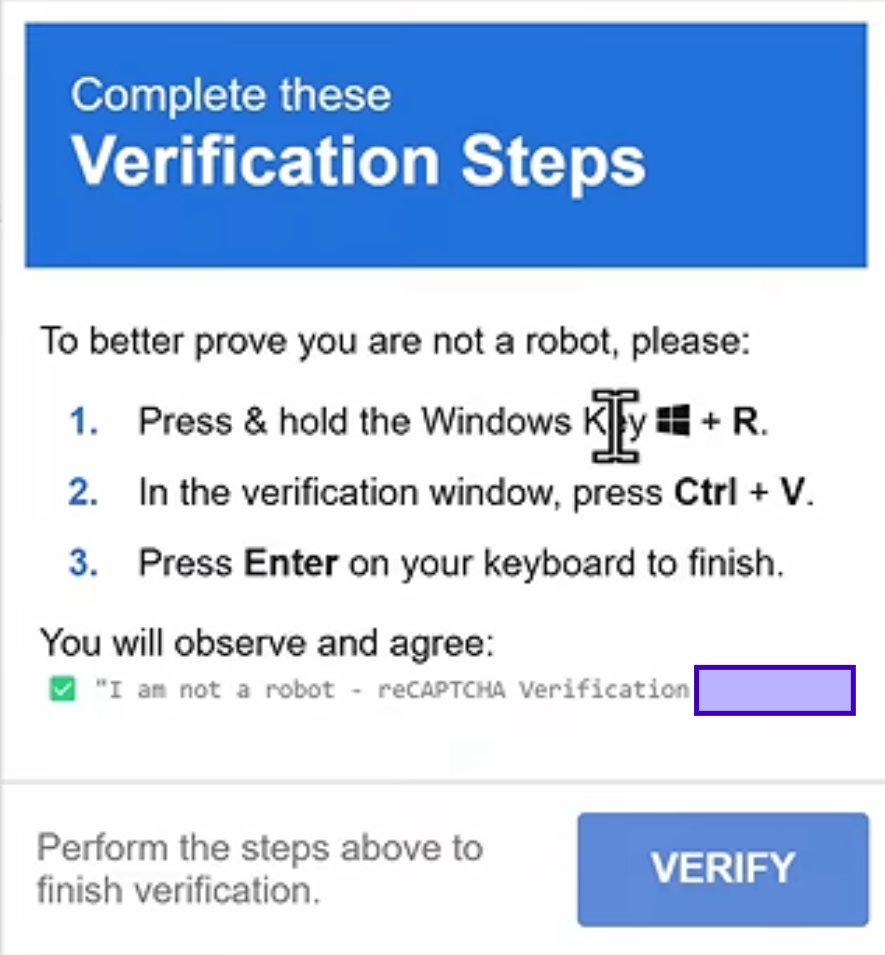
Scammers often use fake CAPTCHA verification pages to trick users into infecting their own computers. These pages may appear after clicking a Discord link, downloading software, visiting a suspicious website, or opening an advertisement. Unlike a legitimate CAPTCHA, these fake verifications will instruct you to perform actions outside of your browser, such as pressing Windows + R, pasting a command, or running a program. This command downloads and executes malware on your computer, potentially giving attackers access to your passwords, browser data, Discord account, cryptocurrency wallets, and other sensitive information.
A legitimate CAPTCHA will never ask you to run commands, open the Windows Run dialog, paste text, or execute files on your computer. If a CAPTCHA asks you to do anything beyond simply clicking images or completing a checkbox, close the page immediately.
Discord itself uses legitimate CAPTCHA providers to protect against spam and abuse. These only require you to complete a standard verification challenge within your browser. If you are ever asked to interact with Windows, download software, or execute commands as part of a CAPTCHA, it is a scam.
Middle Clicking Images
Scammers often use images where they embed links where if clicked will open a website and download a malware zip file where it can log your activity as well it can steal important and sensitive crenditials of yours, including IP Addresses, browser cookies, emails crenditials.
If you come across any images that may sound too good to be true or suspicious in general, do not middle click images. If you want more information regarding about how this malicious act works visit: https://www.youtube.com/watch?v=2LwWrfLCFEw
“I Accidentally Reported You” Scams
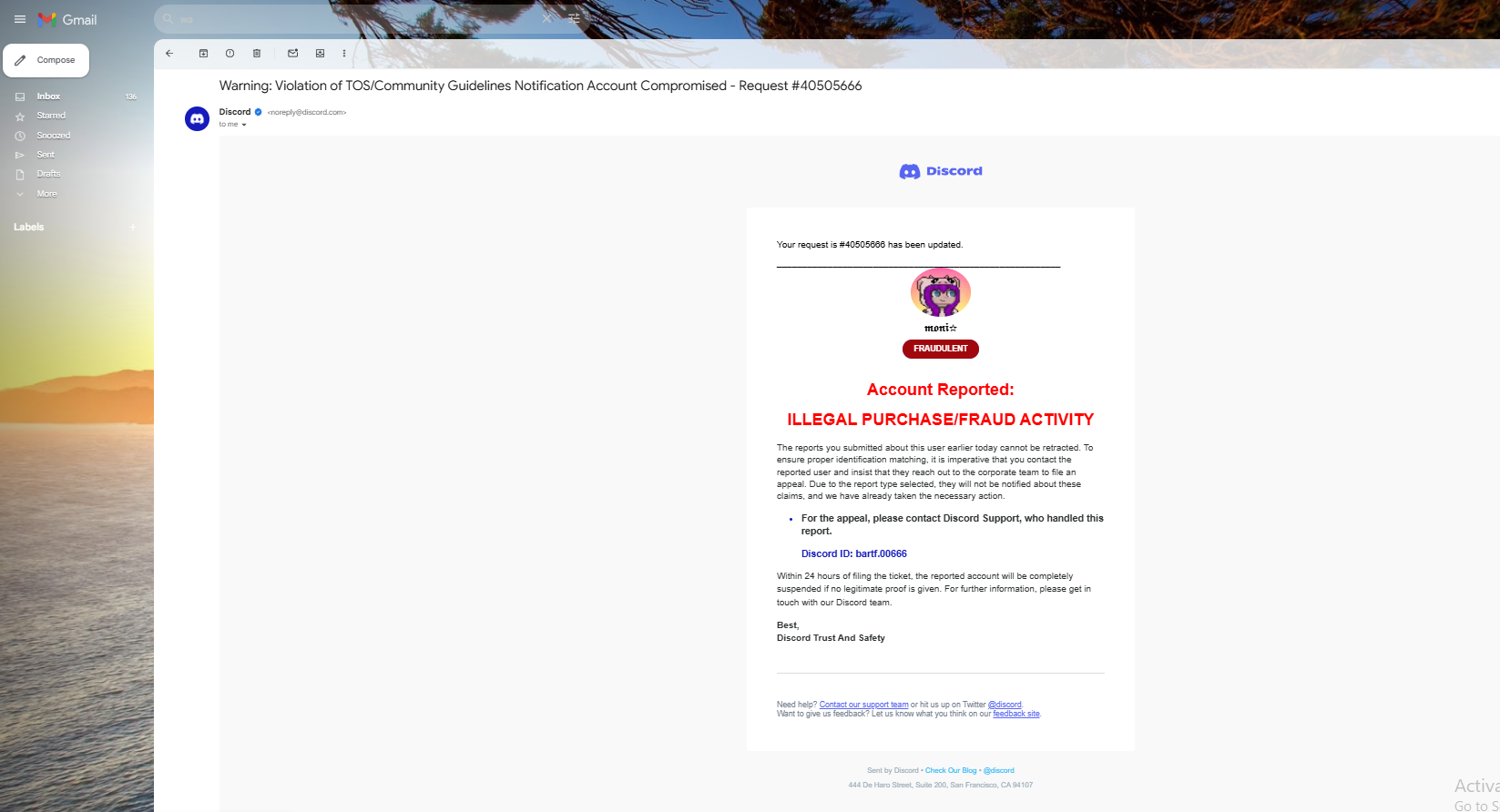
Scammers may contact you claiming they accidentally reported your Steam or Discord account and that it will be suspended unless you contact a supposed support employee. They often impersonate Steam or Discord staff using fake profiles, edited screenshots, forged certificates, or fabricated investigation panels to appear legitimate. You may then be asked to share verification codes, purchase history, account details, or approve an account recovery request. Steam and Discord will never ask you to resolve reports through direct messages or by contacting individual employees on Discord. If you receive a message like this, ignore it and report the user.
Minecraft Server Launcher Download Malware
Some multiplayer servers claim you need their custom themed launcher to play, hoping the advertised theme or mods will tempt you into downloading it. Often, the server doesn't actually exist and the launcher doesn't really work — instead, once opened, it silently runs malicious code in the background that steals your credentials.
This risk is not just limited with custom-themed launchers - this can also fall under the categories of modpacks or singular mods. Be vigilant and do research before downloading any of these.